Pages / Practical working guide
Thank You Page Examples: Confirm What Happened
Confirm the recorded action, set an honest next step and test failure recovery with three original thank you page examples and a printable review sheet.

Illustrative desk photograph; all interface copy examples below are original fictional examples, not measured client results.
A useful thank you page tells people what the system has recorded, what happens next, and what to do if the expected next step fails. These thank you page examples are original copy patterns for downloads, enquiries and purchases. Adapt every promise to your actual service. A page displaying success does not prove an email arrived or a payment settled.
Start with the event your system can verify. If a visitor has only requested a guide, say “Your request was received.” If a file is immediately available, provide the download link. If an order is awaiting payment verification, explain that status before suggesting another product. Visitors need a dependable account of the action they just took.
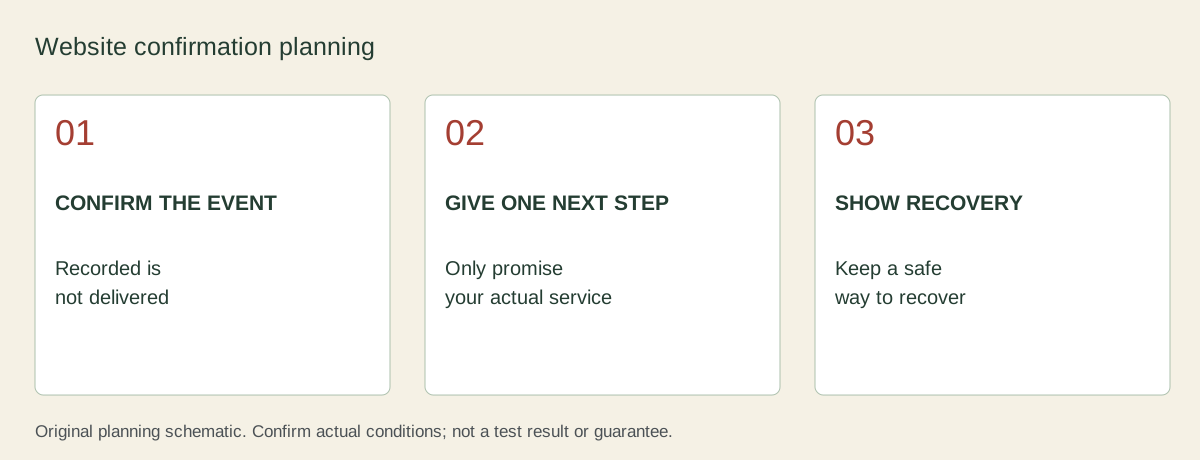
Three examples with a different promise
| Situation | Example heading | Useful next step | Claim to avoid |
|---|---|---|---|
| Download available now | Your checklist is ready | Open the file, with format and size | We emailed it, unless email delivery is confirmed |
| Service enquiry recorded | We received your enquiry | Give the actual response window and contact route | Your appointment is booked before a slot is accepted |
| Order created, payment pending | Order recorded; payment is being checked | Show the order reference and current payment state | Payment complete before the payment system confirms it |
These are fictional interface examples, not screenshots of working client campaigns. Replace the service window with one the team can maintain. A receipt identifier should be safe to show to that signed-in visitor. Keep personal details out of public page URLs and analytics labels.
Example 1: deliver the promised download
Put “Download the checklist” above optional newsletter or product suggestions. Name the file and explain whether it opens in the browser. Offer a recovery route if the file fails. An email copy can be a convenience, but do not make a person search an inbox when the promised file is available on the page.
Use this sample wording only after the request has actually been accepted: “Your checklist is ready. Open the printable file below. If the link fails, use the contact route and quote your request reference.” The file link needs a descriptive label; a repeated “click here” label hides the difference between downloading and buying.
Example 2: set an honest enquiry expectation
An enquiry confirmation should repeat the enquiry type, the team that receives it and the next contact method. Show the person's submitted email only where appropriate for the session. Add a correction route without asking them to submit the whole form again. Never invent “we reply in ten minutes” because it sounds reassuring.
For a conversation-led business, match this wording to the promises on the contact page. A confirmation that contradicts the original page creates another support problem. If enquiries are reviewed only on working days, make the actual operating schedule clear before the visitor waits through a weekend.
Example 3: separate an order from a successful payment
Show the order reference, purchased items and accurate payment state through the secure order view. A pending card payment, a bank-transfer instruction and a paid order need different language. Do not recommend another purchase above instructions for a failed or incomplete payment.
Check what happens when the visitor refreshes, uses the browser back button or opens the confirmation URL directly. A static success URL can appear without a completed transaction. Keep transaction logic in the real order system; this article's worksheet is a content-planning aid and does not implement payment verification.
Test the recovery path before the page is published
Write one normal-path test and one failure-path test for each example. Record which event creates the page, what evidence supports its status message, and where a visitor goes if the file or email never arrives. Test keyboard access, readable link labels and the small-screen order of the confirmation and optional offers.
Keep a focused FAQ for issues that repeatedly reach support. A long catalogue of imagined questions can bury the single action a visitor needs. Measure actual download success, support contacts and duplicate submissions separately from views of the confirmation page. A page view alone is not a completed sale.
Copyable review record
Open the printable thank you page review sheet. The sheet contains blank event, promise, next-action and failure-test fields. It is an original planning document; filling it does not connect to your website or send customer information anywhere.
Action and verified system event:
Status message the evidence supports:
One primary next action:
Actual response or delivery expectation:
If that action fails, use:
Refresh/direct-link test result:
Keyboard and small-screen test result:
Owner and next review date:
For accessible confirmation behaviour, consult W3C guidance on status messages. It explains how assistive technologies should receive relevant status updates. Apply it to the real implementation rather than assuming visible thank-you text is enough.
Read next
Related trust repairs.

Contact Page Trust for a Business That Sells Through Conversation
How to make contact, booking, and consultation pages feel calm and specific.
FAQ Sections That Reduce Doubt Instead of Creating More Work
How to choose FAQ questions that lower friction before a buyer reaches out.

The Homepage Trust Check Before You Redesign
A checklist for the first screen, proof path, and next step before changing the visual style.

Pricing Page Trust Before the Plan Cards
How to make pricing feel safer with context, fit, examples, and expectation-setting.